

Dallas–Fort Worth IT Support & Managed IT ServicesStop babysitting your tech.
Start running your business.
Braintek gives growing DFW businesses a proactive IT department that helps them grow, with real technicians dispatched from our Fort Worth office, fast response, and security built in.
★★★★★ 4.9 from 366 Google reviews · A Texas IT company since 2002
Get the IT Buyer's Guide
What every Dallas–Fort Worth business owner should know before hiring an IT company, including the questions to ask and the red flags to avoid.
Get the free guide- Flat monthly pricing, no surprise bills
- ~10-minute response to a real tech
- Security & backup included
Who we are
A Texas managed IT services company, now in Dallas–Fort Worth
Braintek is a managed IT services and IT support company serving Dallas–Fort Worth from our office at 6825 Manhattan Blvd in Fort Worth. We run technology for small and mid-sized businesses, typically 10 to 200 employees, across the metroplex. Since 2002 we have given growing companies a complete, proactive IT department covering monitoring, helpdesk, cybersecurity, backup and disaster recovery, and IT strategy, for one predictable monthly fee.
If you have been searching for dependable IT support in Dallas or Fort Worth, this is what we built Braintek to be: a local IT support company with real technicians on the ground, not a call center and not a subcontractor network. The person who shows up at your office is our employee.
We answer fast, prevent problems instead of reacting to them, and we are straight with you. No surprise invoices, and we never hold your data hostage. Many clients have been with us for two decades. Whether you need fully managed IT, co-managed support alongside an in-house team, or help after a security scare, we tailor the right mix after a short discovery call.
Local & on the ground
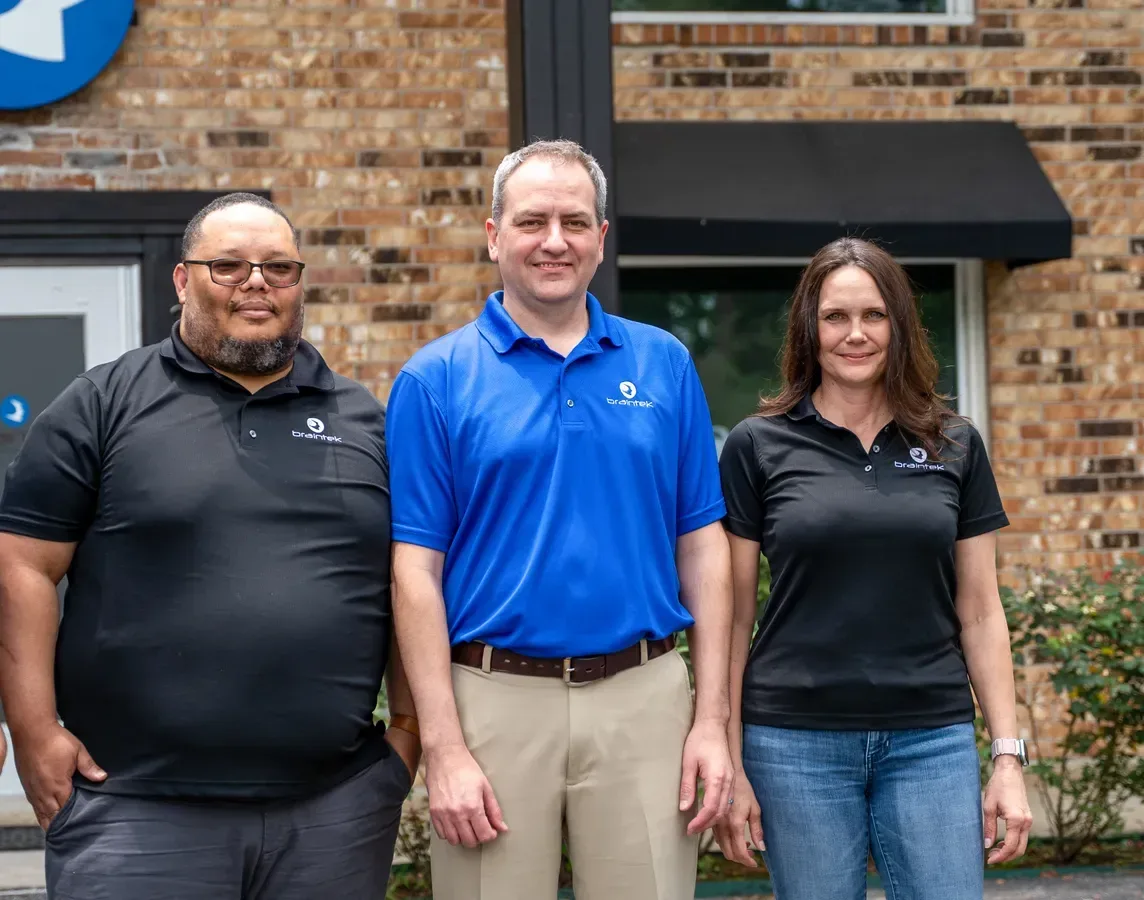
Real Technicians, Across the Metroplex
When something needs hands on the hardware, we send a technician who already knows your network, not a stranger reading a ticket for the first time.
Sound familiar?
If your technology is creating more problems than it solves, you're not alone
Braintek fixes the root cause, then turns your technology into something that helps your business grow.
What we do
IT Services for Dallas Businesses
From day-to-day support to security, cloud, and AI, one team handles all of it, fully managed or alongside your own people.
Managed IT Services
Your outsourced IT department, monitoring, helpdesk, and strategy for one flat monthly fee.
Learn more →Cybersecurity
Layered protection: MFA, EDR, patching, backup, and awareness training.
Learn more →IT Help Desk
Fast, friendly support from real technicians who know your network, calls answered in under a minute.
Learn more →Data Backup & Recovery
Documented, tested backups so you recover fast from ransomware or failure.
Learn more →Microsoft 365
Setup, security, and management of your Microsoft cloud.
Learn more →Microsoft Azure
Migration, Azure Virtual Desktop, backup, and cost management, fully managed.
Learn more →Network Support
Design, cabling, Wi-Fi, and 24/7 monitoring for the network everything else runs on.
Learn more →Co-Managed IT
Backup and specialty support that makes your in-house IT team stronger.
Learn more →AI Enablement
Put AI to work safely with the right tools, guardrails, and training to save time and money.
Learn more →Business Automation
Automate the repetitive, manual work that slows your team down.
Learn more →Custom Development
Custom tools, dashboards, portals, and apps built for how you actually work.
Learn more →
Why Braintek
A Different Kind of IT Company
We built Braintek to be the IT partner DFW business owners actually want: responsive, proactive, and straight with you.
-
Fast, local support
Real technicians who know your network. Calls are answered in about 60 seconds and a technician is typically working your issue within about 10 minutes, with same-day on-site across the metroplex.
-
Security built in
MFA, endpoint detection, patching, backup, and awareness training are part of managed IT, not surprise add-ons.
-
On-site when you need it
Scheduled and as-needed on-site visits dispatched from our Fort Worth office, from a technician who already knows your network.
-
Proactive, not reactive
We prevent problems with monitoring and a real IT strategy instead of just reacting when something breaks.
-
AI that helps you grow
We help you put AI and automation to work safely, saving time and money instead of leaving you behind.
-
Integrity, always
Clear terms, plain English, and we never hold your data or systems hostage. Ever.
Back
Our promise to you
Your "Thrilled Today" Or You Don't Pay
If you're ever dissatisfied with any service for any reason, we'll make it right at no charge, or refund that month of service. New agreements also come with a 90-day risk-free start: cancel anytime in the first 90 days, no fees, no penalties.
See our full guarantee →Your first 60 days
A Proven Onboarding Roadmap
From the day you sign, here's exactly how we take over your IT — fix what's broken, lock it down, and set up support that just works.
- Day 1
Sign & welcome
You sign your agreement and receive a welcome letter explaining exactly how to reach our support desk. We request your network documentation and lock in the onboarding schedule.
- Week 1
Order equipment & licenses
Based on your agreement, we order any hardware and software licenses your team needs — so nothing holds up the rollout.
- Week 1–2
Onboarding kickoff
Your account manager and onboarding technician meet your staff. We rotate passwords, import documentation, install our monitoring and security tools, and surface hidden risks.
- Weeks 2–6
Projects & fixes
We finish migrations, server setups, and replacements — quoting and scheduling the work, and resolving the urgent issues first so your network runs efficiently.
- Week 6
Your dedicated onsite admin
We assign your permanent onsite network administrator and set a regular visit schedule, sized to the number of devices on your network.
- Day 60
Fully supported & secured
Support is live for your whole team and scheduled visits begin. Monthly security-awareness training and simulated phishing kick off, and your account manager sets recurring reviews.
In their words
Why Texas Businesses Stay With Braintek
We almost never have an issue, and in the rare instance that we do, Braintek always has a solution. Most of the other companies I have worked with in the past tended to be a bit more reactive.

Braintek has been very quick to respond to phone calls, work orders and issues. Every other firm I have worked with has been a "leave a message and wait" type company.

We have been in business with Braintek for more than six years, and that says a lot. Their technicians are very knowledgeable, and they have fulfilled our IT needs at one fixed monthly rate.

Industries
Specialized IT for Your Industry
Compliance, uptime, and security tuned to how your business actually works.
 CPAs & Financial FTC Safeguards & financial data security
  Healthcare & Medical HIPAA-compliant IT for practices
  Manufacturing Uptime, OT, and CMMC / NIST 800-171
  Construction IT that works in the office and the field
  Oil & Gas / Energy Security and uptime for energy
  Law Firms Confidentiality, deadlines & secure IT
  Professional Services IT for firms that bill by the hour
  Small Business Full IT department for 10–200 employees
  Engineering Firms IT support for engineering & architecture firms
  Doctor's Offices HIPAA IT sized for independent practices
 Local coverage
IT Support Across Dallas–Fort Worth
On-site and remote support for businesses throughout the metroplex, dispatched from our Fort Worth office.
Based in Houston instead? See our Houston IT support page →
Trusted across Texas
4.9 Stars From 366 Local Businesses
For 20+ years, Texas companies have trusted Braintek to keep their technology running and their business protected.
About BraintekManaged IT services in Dallas–Fort Worth
Braintek provides managed IT services to businesses across the Dallas–Fort Worth metroplex from our office at 6825 Manhattan Blvd in Fort Worth. Companies describe what they need in a dozen different ways: managed IT, managed services, IT support, outsourced IT, a managed service provider, IT solutions, technology support. They are asking for the same thing, which is for someone competent to own the technology so the business can stop thinking about it.
What follows is what that includes, how the DFW provider market actually looks, and what to expect on price.
What a managed IT agreement covers
A managed IT service provider takes ongoing responsibility for your environment for a flat monthly fee, instead of billing hourly after something breaks. At Braintek that covers monitoring, maintenance, help desk, cybersecurity, backup, vendor management, and technology planning across every device and user in the agreement.
The practical difference from what most companies have is timing. Under a break/fix arrangement nobody looks at your systems until you call. Under managed IT support, someone notices the failing drive, the backup that has been silently erroring for three weeks, and the server running out of storage, and deals with all three before any of them become the reason you lose a day of production.
Help desk and day-to-day technical support
The support your staff actually touch. Password resets, mailbox issues, a laptop that will not connect to the VPN, a printer that vanished, an application throwing an error nobody recognizes.
The number that matters is how long it takes to reach a human who can help. Braintek clients typically reach a live technician in about ten minutes, and the large majority of tickets close remotely on that first contact. Our DFW IT help desk is staffed by Braintek employees, not an overflow call center.
Cybersecurity for DFW businesses
Managed IT security services in Dallas have become the reason many companies switch providers at all, usually after an incident or a failed client security questionnaire.
Our stack covers multi-factor authentication on every account that supports it, endpoint detection and response across workstations and servers, email filtering, DNS filtering, disciplined patching, administrative rights review, and security awareness training for staff. None of it is exotic. The reason it works is that the overwhelming majority of successful attacks on businesses of ten to two hundred people exploit a reused password, an unpatched machine, or an employee who received a genuinely convincing email. See cybersecurity services in Dallas.
Backup and disaster recovery
Every provider in the metroplex will tell you they handle backups. Ask two follow-up questions instead: when did you last restore a client's data, and how long did it take.
We run local and offsite copies, monitor that jobs complete rather than trusting a dashboard, and test restores. We also size the design around how much downtime and data loss your business can genuinely absorb, because "back in four days" and "back before lunch" are different products at different prices and you should know which one you bought. More on backup and disaster recovery in Dallas.
Cloud services and Microsoft 365
Cloud services in Dallas get sold as a destination. They are a tool. Some workloads genuinely belong in hosted cloud or Azure, and some are cheaper and faster staying on a server in your building until it ages out.
Nearly every company we onboard already runs Microsoft 365, and nearly none have it configured securely. The same findings come up repeatedly: legacy authentication still enabled, no conditional access, mailbox auditing off, no retention on deleted items, and global admin rights held by people who changed roles years ago. Fixing that costs nothing in licensing because you already own it.
Network, connectivity, and infrastructure
Firewalls, switching, wireless, VPN and remote access, and the circuits underneath. In the metroplex we see a particular pattern: companies that grew across multiple suites or buildings and accumulated networking decisions nobody documented.
Most "the internet is slow" reports are not the internet. They are a saturated uplink, an undersized firewall doing inspection it cannot keep up with, too few wireless access points for the floor plan, or a firewall rule added for a vendor years ago and never removed. We document the network during onboarding so diagnosis starts from facts. See network support in Dallas.
Co-managed IT alongside your existing team
Plenty of DFW companies already employ an IT person or a small team who are perfectly good at their jobs and simply cannot be everywhere. Co-managed IT puts our monitoring platform, security tooling, after-hours coverage, and escalation depth behind them.
It ends the situation where one person is the single point of failure for the entire company, and it lets that person take a vacation without the business holding its breath. See co-managed IT services.
Outsourced IT support
Outsourced IT in Dallas means handing the whole function to an outside firm rather than building it internally. For a company of ten to two hundred employees the economics are usually decisive: the loaded cost of one competent internal generalist buys a help desk, a security specialist, a network engineer, and a strategist through a provider, plus the monitoring and security platforms that would be expensive to license alone.
It also removes the concentration risk. When your one IT person resigns, an outsourced arrangement does not resign with them.
On-site and emergency support
Most work is remote, but hardware eventually needs hands and offices eventually move. We dispatch on-site support across the metroplex from Fort Worth, and because we already manage the environment, the technician arriving knows your network instead of discovering it in your server room.
For real outages, emergency IT support is triage first, root cause second. Getting you operating again comes before the tidy permanent fix, but the permanent fix does follow, rather than leaving a workaround that fails again next quarter.
IT consulting and technology planning
What to replace and when, whether a line-of-business application should be upgraded or retired, what a second location or an acquisition will require, and what the technology budget should look like over the next three years.
This is the layer most companies go without, and it is why technology spending arrives as a series of unpleasant surprises. It is included in our managed agreements rather than sold separately. See IT consulting in Dallas.
Business phones
Hybrid work broke the assumption that the person you are calling is at their desk. VoIP systems move the number to the person instead of the building, which matters across a metroplex where commutes push people toward working from home two or three days a week.
AI and automation
Braintek builds and operates AI systems internally, which is unusual for a firm our size and is why we can advise on it from experience rather than from a vendor's slide deck. We help clients adopt AI without exposing company data to services that will train on it, and we are candid about which tasks are worth automating and which are not. See AI services.
IT support in Fort Worth, Dallas, and the suburbs
Most IT companies selling into this market are Dallas firms that will drive to Fort Worth if the contract is large enough. We are the other way around. Our metroplex office is in Fort Worth, on Manhattan Blvd, and Dallas is the drive for us rather than the other way around.
That matters less for a password reset, which is remote regardless, and quite a lot for anything requiring someone physically present in Tarrant County on short notice.
Fort Worth and Tarrant County
Fort Worth is not a suburb of Dallas and its business base does not look like Dallas's. Aviation and aerospace suppliers, logistics operations along the Alliance corridor, energy and mineral firms, manufacturing, healthcare, and the professional services around them. The technology needs skew toward uptime on operational systems and connectivity across sites, more than toward the corporate-headquarters profile that dominates North Dallas.
We cover Fort Worth, Arlington, Grapevine, Southlake, Bedford, Euless, Hurst, Mansfield, and Grand Prairie from that office, with same-day dispatch for urgent on-site work. See Fort Worth IT support and Arlington.
Dallas and the northern suburbs
Dallas and the Tollway corridor run heavier on finance, professional services, technology, and corporate offices, with the compliance and client-security-questionnaire pressure that comes with them. Plano, Frisco, McKinney, and Irving have their own concentrations, particularly in corporate relocations and technology firms.
We support Dallas, Plano, Frisco, Irving, McKinney, Denton, and the surrounding cities.
What "local IT support near me" actually buys you
Honest answer: less than the phrase implies, and more than nothing.
The majority of IT work is remote now, and a provider two miles away resolves your ticket no faster than one in Fort Worth using the same tools. Proximity earns its keep in four situations: hardware failure requiring physical replacement, office moves and buildouts, new-site cabling and wireless, and regional weather events where a national provider is triaging DFW alongside four other markets.
The other thing local buys is accountability. Our technicians are Braintek employees rather than a subcontracted dispatch network, so the person who walks into your office answers to the company you are paying, and has usually already worked on your systems remotely.
The DFW provider market, honestly
The metroplex has an unusually fragmented IT services market compared to Houston. There is no single dominant local MSP, and search results are crowded with national roll-ups, job boards, and directories rather than actual providers. That makes evaluation harder, not easier, because the shortlist you assemble from a search is often not a shortlist of comparable companies.
Broadly you will encounter four types.
Private-equity roll-ups
Several regional MSPs have been acquired and consolidated in recent years. They have genuine scale and tooling. The tradeoffs are longer escalation paths, frequent account-manager turnover, and standardized service packages that fit your business or do not. If you are three hundred users this can work well. At thirty you are a small line item.
National providers with a DFW sales presence
Sales locally, delivery elsewhere. Fine for standardized environments, frustrating when something needs someone in the room or when the person on the phone has never seen your network.
One and two person shops
Often excellent and usually cheaper. The risk is concentration: no coverage for vacations or simultaneous emergencies, and the documentation typically lives in one person's head. We inherit these environments regularly and reconstruction is the first two weeks of work.
Established independent MSPs
Enough staff to cover each other, small enough that the same technicians see your environment repeatedly. That is our category, described plainly rather than as though it were the only defensible answer. It fits companies of roughly ten to two hundred employees where downtime costs real money and there is no full internal IT department.
Questions to ask any DFW provider
- Where are your technicians physically based? "We serve DFW" and "we have people in DFW" are different claims. Ask which.
- What is your average time to a live person? Ask for the measured average, not the target. Any provider with real tooling can pull it in a minute.
- Employees or subcontractors on site? Both exist in this market. You should simply know which you are buying.
- What is excluded from the monthly fee? Projects, after-hours, on-site visits, and hardware procurement are the usual carve-outs, and they are where a cheap agreement becomes expensive.
- When did you last restore a client backup? Providers who do this routinely answer with a story. Others describe their backup software.
- What do we receive if we leave? Documentation, credentials, and data, and how quickly. Ask for it in writing.
- Who owns you? Worth asking directly in this market. Whether a provider has been acquired changes how it will behave in two years.
Industries we support across the metroplex
- Manufacturing and industrial. Shop-floor systems older than modern security assumptions, and downtime measured directly in lost output.
- Financial and professional services. FTC Safeguards obligations, written security programs, and client due-diligence questionnaires that keep getting longer.
- Healthcare and medical practices. HIPAA controls, business associate agreements, and practice-management uptime.
- Law firms. Confidentiality obligations plus corporate-client security requirements imposed downstream.
- Construction. Job-site connectivity, mobile crews, and project data spread across more systems than anyone tracks.
- Energy and minerals. Corporate IT alongside operational technology and heavy contractor access.
- Professional services and small business. Lean teams where one broken system halts billable work.
Switching to us from another provider
The transition is the part people fear and it is the manageable part. We document the environment completely first, including hardware, licensing, network, credentials, backups, and vendor relationships. Then we deploy monitoring and the security baseline, which is where the previously unknown problems surface. Then we work the backlog by risk.
Your current provider does not have to cooperate, though most do. In our experience the disruption of switching is consistently smaller than the disruption of staying somewhere that is not maintaining your systems.
If you want a specific read on your environment, book a discovery call. We will tell you what we would change and what it would cost, and if we are not the right fit for you we will say so directly.
What managed IT costs in Dallas–Fort Worth
Nobody publishes this, so here is as much as can be said honestly without seeing your environment.
The pricing models you will be quoted
Per device
A monthly rate for each workstation, server, and managed network device. Predictable and easy to compare between providers. Across the metroplex this generally falls between $150 and $250 per device per month depending on the security stack, compliance obligations, and how much on-site work the environment requires.
Per user
A rate per person regardless of device count. Better value where staff carry a laptop, a desktop, and a phone. Worse where devices are shared, which is common in manufacturing, clinics, and logistics operations where twenty people rotate across six terminals.
All-inclusive monthly
One figure covering everything defined in the agreement. Easiest to budget and to compare year over year. Braintek prices as a flat monthly subscription, custom-quoted after a discovery call. The thing to inspect elsewhere is an all-inclusive headline with a list of exclusions attached to the back of the contract.
Why the number varies so widely
Two DFW companies with forty employees can differ by a factor of two. A firm on modern hardware, fully in Microsoft 365, single location, no compliance regime, is straightforward. A firm with two locations connected by a VPN somebody configured badly, three aging on-premise servers, a line-of-business application that only runs on an unsupported Windows Server version, and HIPAA or FTC Safeguards obligations is a different engagement.
Multi-site is the specific factor that surprises people in this market. The metroplex spreads businesses across long distances, and a company with an office in Fort Worth, a warehouse in Grand Prairie, and a sales suite in Plano has three times the network surface and three times the on-site exposure of a single-location company the same size.
Comparing quotes properly
- After-hours work. Covered, or premium hourly? Migrations happen on weekends.
- On-site visits. Included, capped per month, or billed per trip plus mileage? In a metroplex this size, mileage terms matter.
- Projects. Reasonably separate from support, but the boundary must be written down rather than decided during a dispute.
- Security tooling. MFA, endpoint detection, email filtering, and awareness training in the base fee, or stacked on?
- Backup storage. Capped or metered by volume? Metered storage on a growing dataset is an escalating bill.
- Microsoft licensing markup. Ask the percentage.
- Onboarding fee. Common and often justified, but it should be disclosed before you sign.
Managed IT versus hiring internally
The honest comparison is not against your current IT spend, it is against the cost of building the capability. A competent IT generalist in the DFW market costs salary plus benefits plus tooling, and delivers one person with one skill set who takes vacations and eventually leaves for a higher offer.
The same budget through a provider buys a help desk, a security specialist, a network engineer, and someone doing planning, plus monitoring and security platforms that are expensive to license standalone. Internal hiring starts to win somewhere past a hundred employees, and even then most companies run a hybrid: internal staff on the business-specific systems, a provider behind them for infrastructure, security, and depth. That is co-managed IT.
What usually triggers the call
Companies rarely change IT providers out of general dissatisfaction. There is normally an event.
An acquisition or a new location
Particularly common in this market. Two networks, two sets of licensing, two ways of doing everything, and a deadline. Consolidation work rewards planning and punishes improvisation, and it is often the first time anyone documents either environment properly.
The provider got acquired
Consolidation has been heavy in DFW. Service quality after a roll-up is genuinely variable, but the pattern clients describe is consistent: the technician who knew them is gone, escalation takes longer, and the renewal comes back higher with a standardized package that fits less well.
A security incident
Ransomware, a business email compromise, or a payment wired to a spoofed vendor. We handle the incident, then close whatever allowed it, which is nearly always a missing MFA enforcement, an unpatched machine, or an attacker-created mailbox rule nobody noticed. See emergency IT support.
A failed security questionnaire
A large customer, an insurer, or an auditor asked specific technical questions and the true answers were not good enough. This flows downhill through supply chains constantly in aerospace, energy, and professional services here. The remediation is usually straightforward; the deadline is the hard part.
The IT person left
With the documentation in their head and credentials in a personal password manager. The first fortnight is reconstruction: regaining administrative control, documenting what exists, and discovering what has quietly not worked for months.
Growth broke the setup
What worked at twelve people fails around thirty. Onboarding a hire takes days, nobody knows who has access to what, and every new application is an unmanaged decision. This is the best reason to call, because it is planning rather than recovery.
The first 90 days with Braintek
Weeks one and two: discovery and control
Full inventory of devices, users, licensing, network, vendors, and backup jobs. We take administrative control where it is missing or held by someone who has left. Monitoring goes on so that from here we see problems rather than hear about them. This phase reliably surfaces expired warranties, unlicensed software, and something broken long enough that staff have built a workaround around it.
Weeks three through six: security baseline
MFA enforced, endpoint detection deployed, patching brought current and scheduled, email security tuned, admin rights reviewed and cut back, backup corrected and restore-tested. Risk drops fastest here.
Weeks seven through twelve: backlog and roadmap
Remediation in order of business risk, and a written technology plan covering what ages out when and what it will cost over the next two to three years. By the end of the quarter the environment is documented, monitored, secured, current, and planned.
Why DFW businesses choose Braintek
We are actually in Fort Worth
Not a mailing address and not a sales office with delivery somewhere else. Our metroplex operation runs from 6825 Manhattan Blvd, and for Tarrant County businesses that means on-site help does not depend on someone driving in from the far side of Dallas.
Independent, and staying that way
Braintek is not private-equity owned and has not been rolled up. The company has been under the same leadership since 2002. In a market where a meaningful share of providers have changed hands recently, that is worth asking every firm on your shortlist about.
Our technicians are our employees
No subcontracted dispatch. The person arriving at your office is accountable to the company you pay and has usually already worked in your environment remotely.
Two Texas metros, one company
We run Houston and Dallas–Fort Worth with the same people, tooling, and standards. For companies with sites in both, that removes the coordination problem of managing two unrelated providers. It also means our DFW clients get the depth of a larger organization than a Fort Worth headcount alone would suggest.
We built our own AI
Unusual at our size, and the reason our advice on it comes from operating these systems rather than reselling them. See AI services.
You are not locked in
Your documentation, credentials, and data are yours, stated in the agreement before you sign. New agreements include a 90-day risk-free start: cancel inside the first 90 days with no fees and no penalties. The downside of trying us is close to zero, deliberately.
Book a discovery call and we will give you a clear flat monthly rate with no obligation, plus an honest read on what we would fix first.
Questions
Frequently Asked Questions
Do you have a local office in Dallas–Fort Worth?
Yes. Braintek operates from a Fort Worth office at 6825 Manhattan Blvd, Suite 100-2, covering the entire metroplex. Most issues are resolved remotely in minutes, and we dispatch same-day on-site for urgent problems across Dallas, Fort Worth, Arlington, Irving, Plano and the surrounding cities.
What is included in managed IT services?
Our managed IT includes proactive monitoring and maintenance, a responsive helpdesk, cybersecurity (MFA, endpoint protection, patching, and security-awareness training), data backup and recovery, vendor management, and ongoing IT strategy, all for one flat monthly fee. We tailor the exact mix to your business after a discovery call.
How fast is your IT support response time in DFW?
Calls are answered by a live technician in about 60 seconds, and a technician is typically working your issue within about 10 minutes. Roughly 85% of issues are resolved remotely, with after-hours support for urgent issues after 6pm.
How much do managed IT services cost in Dallas–Fort Worth?
Braintek managed IT is a flat monthly subscription tailored to your business, with no per-ticket fees and no hourly billing for covered services. Because every environment is different, we provide a custom quote after a short discovery call so you know exactly what is included.
What is the difference between break/fix and managed IT?
Break/fix means you only call IT after something breaks, and you pay by the hour to fix it, so the provider earns more when things go wrong. Managed IT is a proactive, flat-fee model where we monitor and maintain your systems to prevent problems in the first place, which means less downtime and a partner whose interests are aligned with yours.
How do I switch IT companies without disrupting my business?
We handle the transition for you. During onboarding we document your environment, take over monitoring and security, and fix urgent issues first, typically within the first few weeks, so the switch is smooth and your team keeps working. Most clients are surprised how painless it is.
Are you a managed service provider in Dallas?
Yes. Braintek is a managed service provider serving Dallas–Fort Worth businesses from our Fort Worth office, with technicians covering the full metroplex. Monitoring, helpdesk, cybersecurity, backup, and IT strategy are all included in one flat monthly fee.
What areas of the metroplex do you serve?
Dallas, Fort Worth, Arlington, Irving, Plano, Frisco, McKinney, Denton, Grapevine, Southlake and the surrounding Dallas–Fort Worth cities, with both on-site and remote support.
What size businesses do you support?
Small and mid-sized businesses across Dallas–Fort Worth, typically from about 10 to 200 employees.
Is Braintek a Texas company?
Yes. Braintek has been a Texas IT company since 2002, headquartered in the Houston metro with a Fort Worth office serving Dallas–Fort Worth. Both metros are staffed by our own employees, not subcontractors.
Do you actually have people in Fort Worth, or just a Dallas office?
Our metroplex operation runs from 6825 Manhattan Blvd, Suite 100-2 in Fort Worth. Most IT companies selling into Tarrant County are Dallas firms that will drive west when the contract is large enough. We are the reverse, which matters for anything needing someone physically present in Fort Worth, Arlington, Grapevine or Southlake on short notice.
What is an MSP?
MSP stands for managed service provider: a company that takes ongoing responsibility for your technology for a recurring fee, covering monitoring, maintenance, help desk, security, backup, and planning, rather than billing hourly when something breaks.
What is outsourced IT support?
Outsourced IT means an outside firm acts as your IT department instead of building that capability internally. For a company of 10 to 200 people the loaded cost of one competent internal generalist typically buys a help desk, a security specialist, a network engineer, and a strategist through a provider, plus monitoring and security platforms that are expensive to license alone.
Do you support businesses with multiple locations across the metroplex?
Yes, and it is common here. A company with an office in Fort Worth, a warehouse in Grand Prairie, and a sales suite in Plano has roughly three times the network surface of a single-site company the same size. Multi-site connectivity, consistent security policy across locations, and on-site coverage in each are all part of the agreement rather than surprises.
Have you been acquired by private equity?
No. Braintek is independent and has been under the same leadership since 2002. This is worth asking every provider on your DFW shortlist, because consolidation has been heavy in this market and service quality after a roll-up is genuinely variable.
How much do managed IT services cost in Dallas?
Braintek prices managed IT as a flat monthly subscription, custom-quoted after a discovery call. Across the metroplex, per-device managed IT for a business of 10 to 200 employees generally lands between $150 and $250 per device per month depending on the security stack, compliance requirements, and how much on-site work the environment needs.
Do you offer 24/7 support?
Our help desk is staffed Monday through Friday, 7:00 AM to 6:00 PM, with after-hours support for urgent issues after 6pm. We do not advertise round-the-clock staffing, because in this industry that usually means an answering service paging someone who calls back in the morning. Urgent after-hours issues reach a Braintek technician who already knows your environment.
Can you work with our existing IT staff?
Yes, that is co-managed IT. Your internal person keeps what they do well and we add monitoring, security tooling, after-hours coverage, escalation depth, and project capacity behind them, so vacations and resignations stop being emergencies.
What happens in the first 30 days?
We document the environment completely, including hardware, licensing, network, credentials, backups, and vendors. Then we deploy monitoring and the security baseline, which is where previously unknown problems surface. Then we work the remediation backlog by business risk. Your current provider does not need to cooperate, though most do.
Do you help with cyber insurance and client security questionnaires?
Yes. Insurers and corporate customers now ask specific technical questions about MFA, endpoint detection, backup, patching, and email security, and answering them inaccurately can void a policy or cost a contract. We help you answer truthfully and close the gaps that would otherwise be a problem. This flows downhill constantly through aerospace, energy, and professional services supply chains here.
What compliance frameworks do you support?
Most commonly HIPAA for medical practices, the FTC Safeguards Rule for CPAs and financial advisors, and the client-imposed security requirements that larger corporations push onto smaller vendors. We build controls to match the requirement and provide documentation when an auditor, insurer, or customer asks you to prove it.
Do you handle office moves and new site buildouts?
Yes. Cabling, wireless design, circuit provisioning, firewall and switching, and the cutover itself. This is one of the situations where having technicians based in the metroplex genuinely matters rather than being a marketing claim.
What reporting will we get?
Ticket volume and response times, patch and security posture, backup success, and hardware lifecycle so you know what ages out when. The purpose is that you can verify you are getting what you pay for instead of taking our word for it.
What if we have offices in both Houston and DFW?
That is a good fit for us. We run both metros with the same people, tooling, and standards, so you get one provider, one set of policies, and one escalation path instead of coordinating two unrelated companies.
What if we want to leave?
You get your documentation, credentials, and data, and we put that in the agreement before you sign. New agreements also include a 90-day risk-free start: cancel in the first 90 days with no fees and no penalties.
Ready for IT that just works in Dallas?
Book a no-pressure discovery call. We'll review your setup and show you exactly where you stand.