

Built for Braintek clients
The Braintek IT Support App
Support, diagnostics, and user management — right on every computer. One click to reach us, instant self-service checks, and onboarding/offboarding done in seconds. It’s the help desk on the desktop.
Get Braintek as your IT team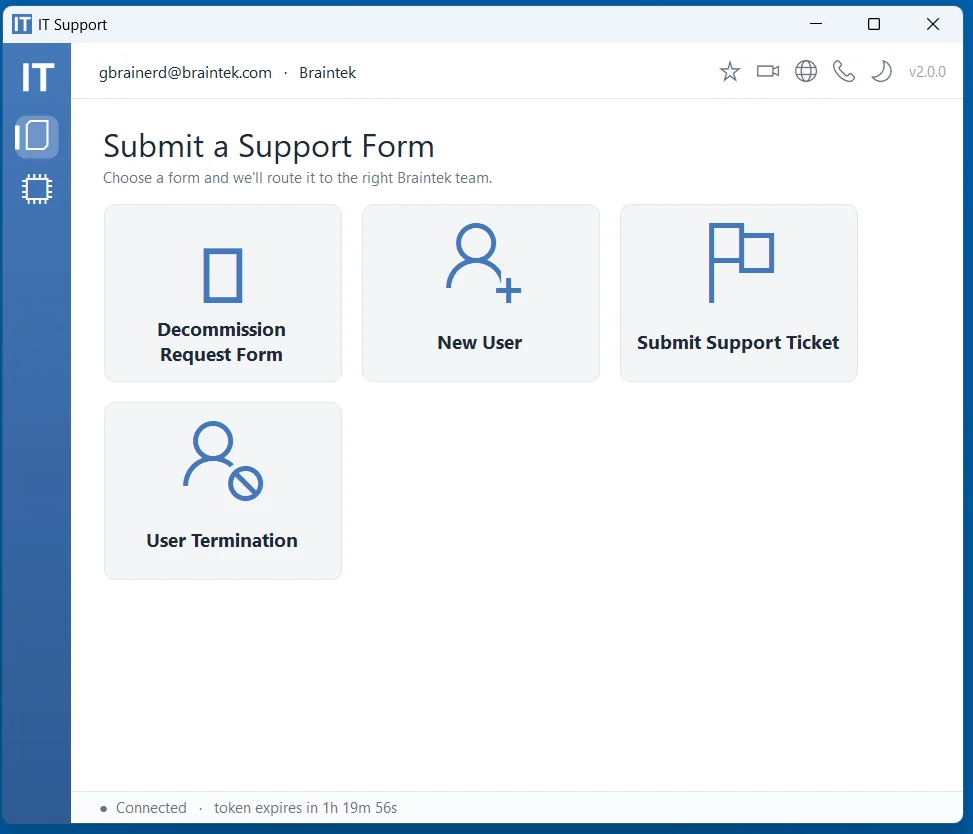
One click to help
Reach us without hunting for an email
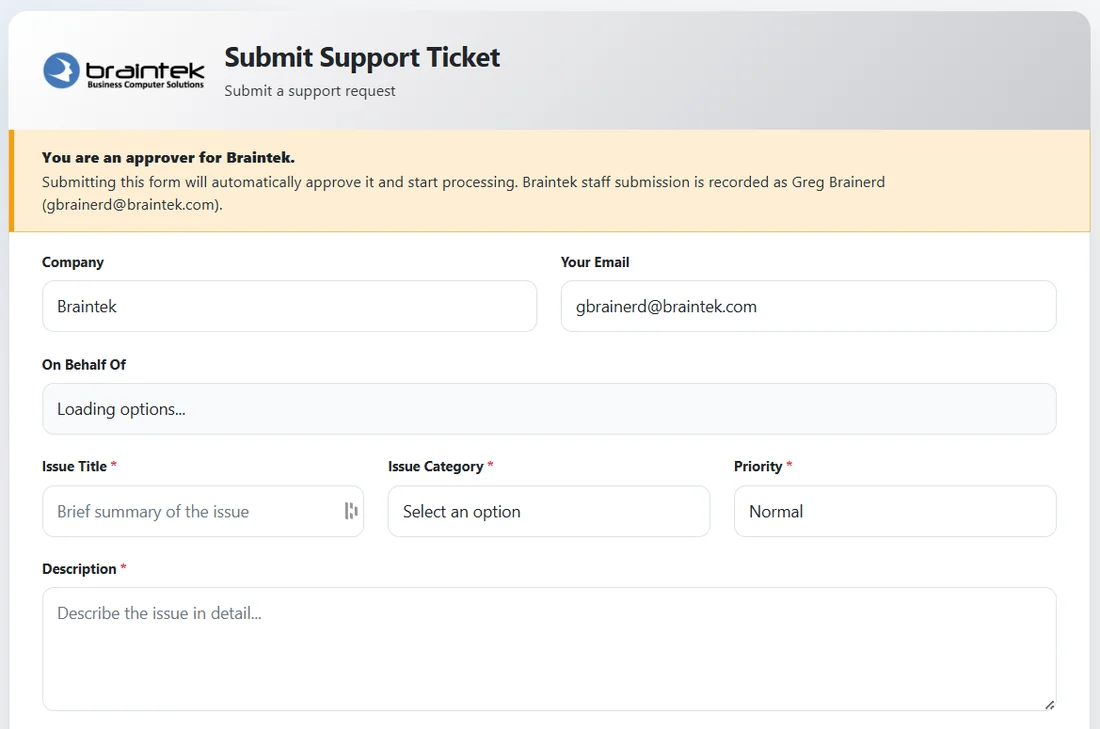
Your team doesn’t need to remember a support address or dig for a phone number. The app puts every request a click away — submit a support ticket, request a new user, or kick off a decommission — and it routes straight to the right Braintek team with the context we need to act fast.
- Submit a support ticket with issue, category, and priority
- Requests are pre-filled with company and user details
- Approvers can submit on behalf of the whole company
Self-service diagnostics
Answer “is it my computer?” in seconds
Before you’re even on the phone, the app runs real checks — internet, computer, battery, drive, OneDrive, printer, network shares, VPN, updates, and Defender. Your team gets an instant read, and our techs get the data they need to fix it faster.
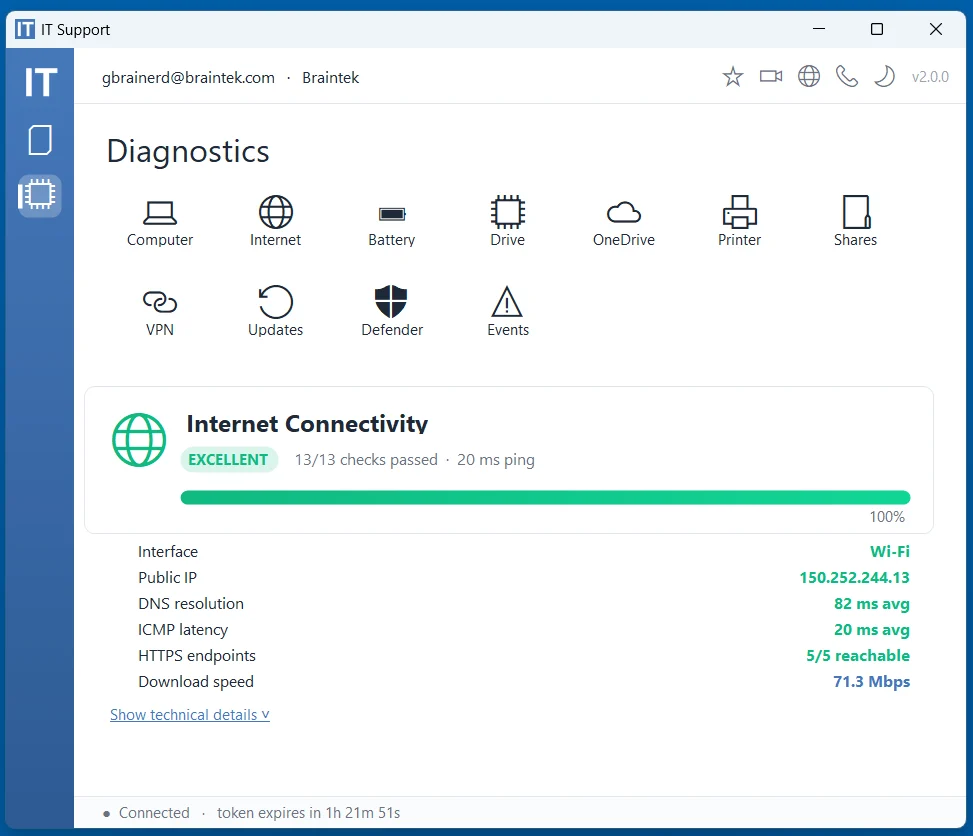
Internet connectivity
Ping, DNS, latency, reachable endpoints, and real download speed — so we both know if it’s the connection.
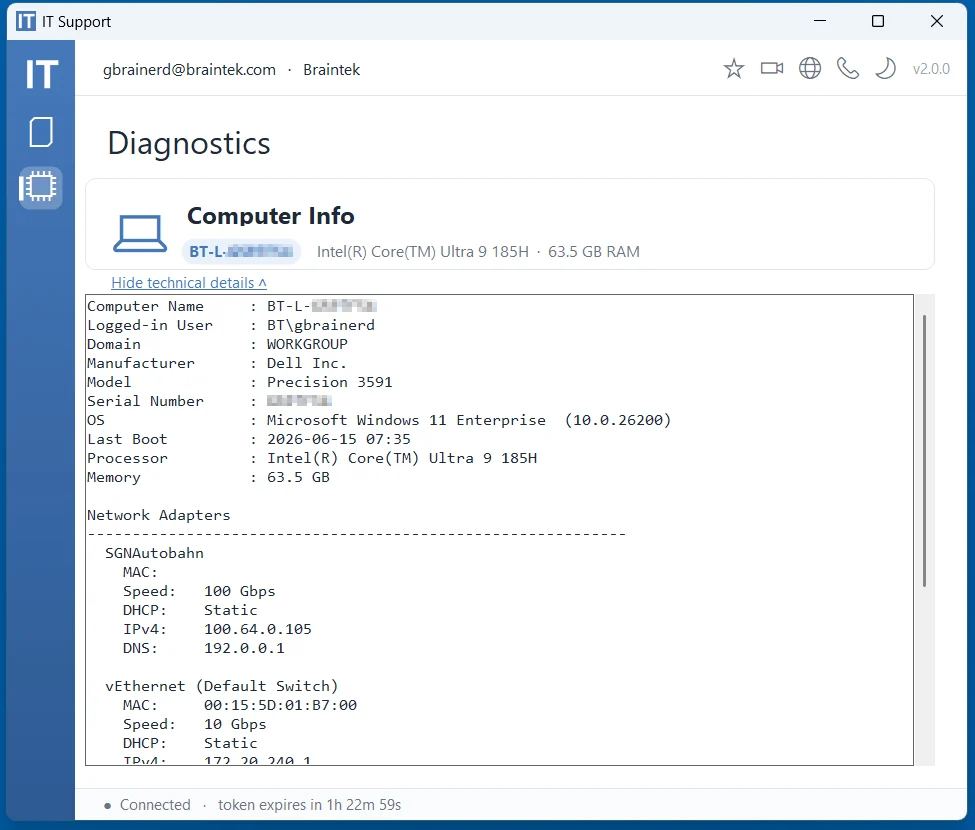
Computer info
Name, user, domain, model, serial, OS, processor, RAM, and network adapters — pulled instantly, no hunting.
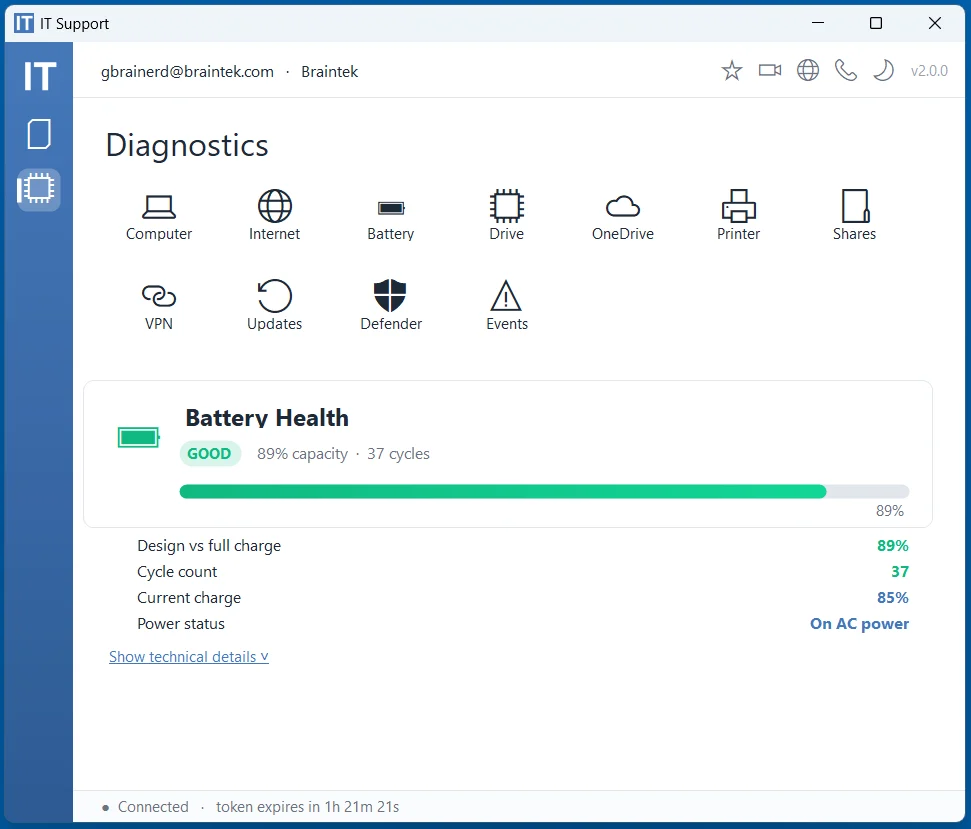
Battery health
Capacity vs. design, cycle count, and charge status — catch a dying laptop battery before it strands someone.
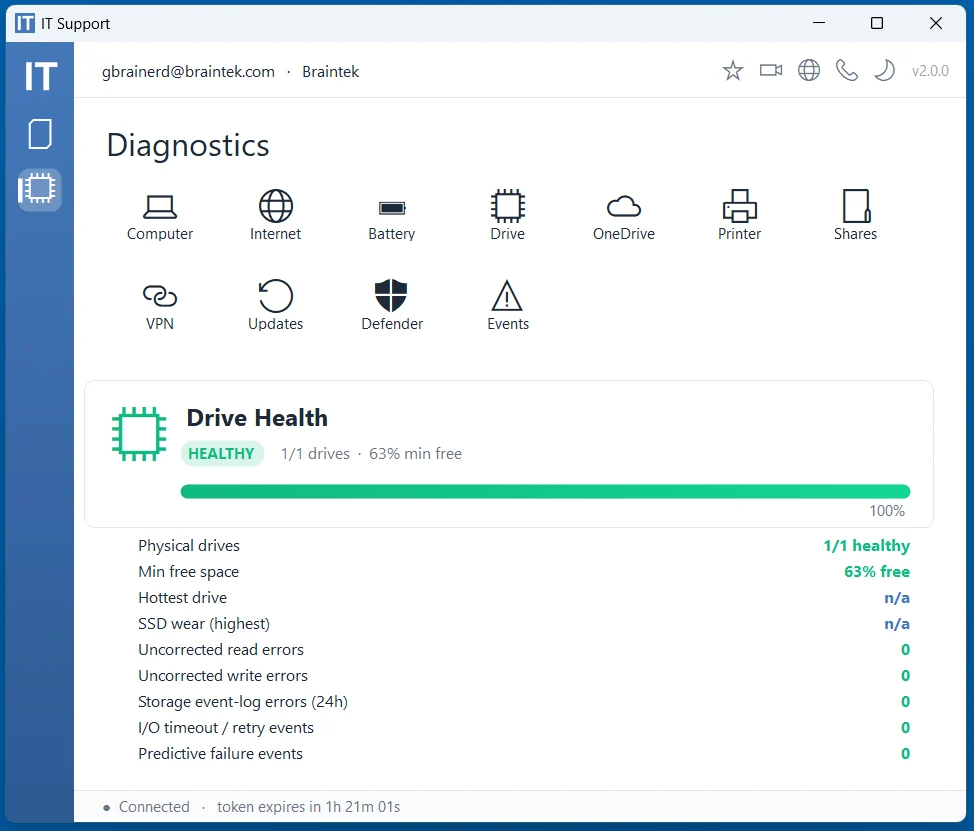
Drive health
Free space, SSD wear, read/write errors, and event-log warnings — early warning before a drive fails.
Onboard & offboard
New hire or departure? Handled in seconds
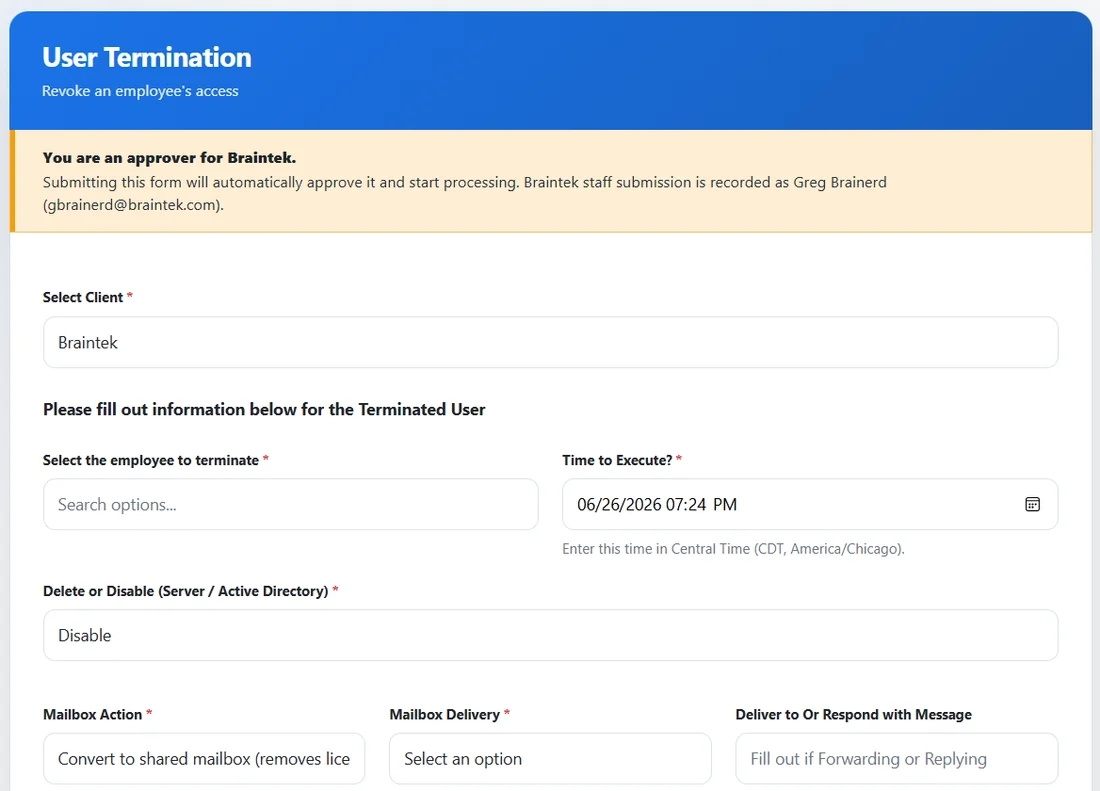
Provisioning and de-provisioning users is where security gaps hide. The app makes it a guided form: set up a new employee’s access (and copy a coworker’s permissions), or terminate access with the mailbox handled and Active Directory disabled — on a schedule you set. Approvers fire it off; we execute it cleanly.
- New user: access, mailbox, and permissions copied from a peer
- Termination: revoke access, convert the mailbox, disable AD — at a set time
- Every action is logged and approver-recorded
Getting support
Frequently asked questions
How do I get the Braintek IT Support App?
It’s installed on every managed computer during onboarding — no separate download to chase. If you don’t see it on a company device, email support@braintek.com and we’ll get it on there.
How do I get IT support through the app?
Click “Submit Support Ticket,” describe the issue, and set a category and priority. It routes straight to the right Braintek team with your company and device details already attached — so we can start fixing it instead of asking who you are.
What can the diagnostics tell me?
You can run instant self-service checks on internet connectivity, computer info, battery health, drive health, OneDrive, printers, network shares, VPN, Windows updates, and Defender. You get a clear read in seconds, and our technicians get the data to resolve it faster.
Who can add or remove users?
Designated approvers at your company can submit New User and User Termination requests right from the app. Every action is logged and recorded to the approver, and we execute the provisioning or off-boarding (mailbox, Active Directory, permissions) cleanly on the schedule you set.
Do I still reach a real person?
Always. The app just makes reaching us faster and gives us better information up front — a real Braintek technician handles every ticket.
Ready for IT that just works?
Book a no-pressure discovery call. We'll review your setup and show you exactly where you stand.