

Data Lake vs Data Warehouse: Why We Built Our Own
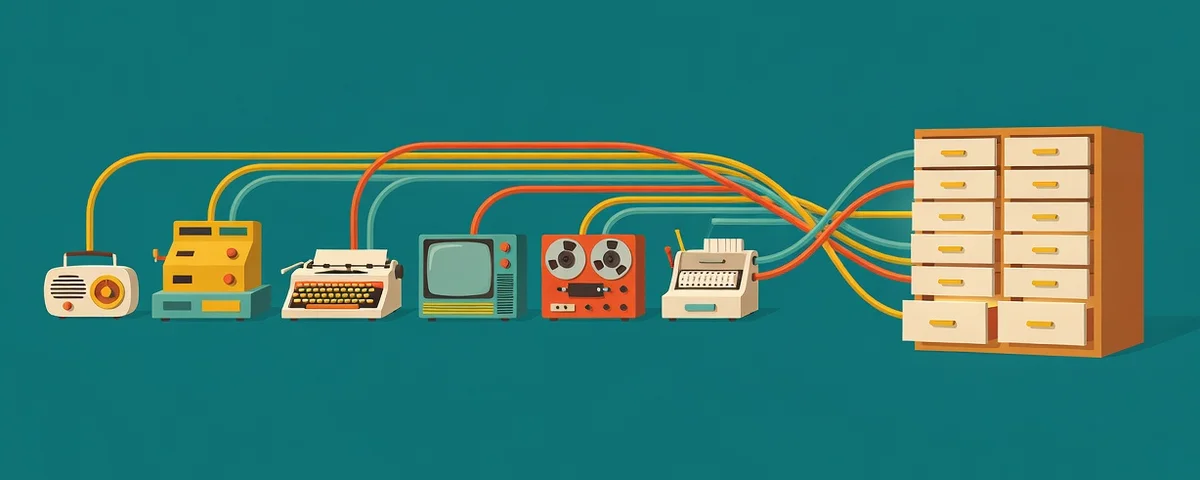
A data lake stores raw data from many systems in whatever shape it arrives. A data warehouse stores cleaned, structured data on a schedule so you can report on it. Most small businesses that say they want a data lake actually want a data warehouse: one database that collects the numbers from every system they use, so reports come from one place instead of ten.
We know because we called ours a data lake for a long time. It is a warehouse. Every month it collects data from 15 different systems into a single database, and it turned a client meeting that took hours to prepare into one that takes a few minutes.
What is the difference between a data lake and a data warehouse?
The difference is when the data gets organized.
- A data lake keeps everything in raw form, often as files: exports, logs, documents, sensor data. You decide how to use it later. That flexibility is useful for data scientists and large volumes, but a lake with no structure quickly becomes hard for anyone else to use.
- A data warehouse organizes the data on the way in. Each source is mapped to tables with clear columns, the data is checked as it lands, and reports can query it directly.
For a business that wants reliable monthly reports, the warehouse is almost always the better fit. You know which questions you want to answer, and the warehouse is built to answer them.
Why did we need one?
Our account managers spent hours preparing for every client review. They logged into several systems, exported data, took screenshots, and pasted everything into a PowerPoint deck. Because each piece came from a different tool, the finished report looked cobbled together, with different fonts, different date ranges, and different ways of counting the same thing.
The hours were the obvious cost. The less obvious one was that the meeting time went to explaining the slides instead of discussing what they meant.
So we decided to put all of that data into a single database.
How did we build it?
We built it one system at a time.
- A scheduler first. We built W!FE, our workflow engine, to connect to our systems on a schedule and pull data through their APIs. That part is not required. The same collection can be built into a single program. We wanted something our other staff could use and update, and that would scale as we added sources.
- One tool, then another. We started with one system and collected everything its API would give us. Then we added a second, then a third. Today 15 systems save their data to the database each month.
- Fixing what did not save. We did run into data that did not save correctly. Some records came through incomplete or in a format we did not expect. Working through those issues took time, but once they were solved, the collection side was finished.
- A reporting site on top. We built a site that queries the database and shows everything in one consistent set of reports. We reworked the formatting many times until it looked the way we wanted. That site became our technology business review platform.
It took a while to build out fully, and we are still adding sources and making changes. AI has been a big help there. Most of the updates, new reports, and fixes are now done with AI as a coding partner, which makes the system much easier to keep improving.
How useful has it been?
Prepping for the same client meeting that used to take hours now takes a few minutes of data gathering. The time we saved goes into reviewing the data and deciding what to recommend, which is the part the client actually cares about.
The reports also look like one report. Every client sees the same layout, the same definitions, and the same date ranges, so month to month comparisons are meaningful.
What permission pitfalls should you plan for?
Collecting data from many systems into one place is powerful, and that is exactly why it needs care. These are the issues we would plan for from day one.
- Overpowered API accounts. Many systems make it easy to connect with a full administrator account. Do not. Create a dedicated account or app registration for the connection, and give it read only access to just the data you need. If that account is ever compromised, the damage stays small.
- Passwords and keys in the wrong place. API keys and connection passwords should live in a secure vault, not in a script, a spreadsheet, or a shared document. Not in your code repository either, where a key can be copied to every computer that downloads the code and stays in the history even after it is deleted. Where the platform supports it, use passwordless connections such as Azure Managed Identity so there is no secret to leak at all.
- One database, many audiences. Once everything is in one place, it is easy to show everyone everything. Decide who can see which data, especially if the database holds information about multiple clients, departments, or employees. Build those limits into the reporting site, not just into people’s good intentions.
- The warehouse becomes a target. A single database that summarizes every system is valuable to an attacker. Protect it like your most sensitive system, with multifactor authentication on every login, backups, and a record of who accessed what.
- Vendor terms. Some software vendors limit how their API data can be stored or shared. Check before you build reports that rely on it.
- Bad data that looks good. A broken import can quietly fill a report with zeros. Add checks that flag implausible changes and show missing data as missing, rather than as a number.
Do you need to build your own?
Not always. If your reporting needs are covered by a tool you already pay for, use it. Building makes sense when your reports pull from many systems that do not talk to each other, when someone spends hours every week or month compiling the same numbers, or when the off the shelf tools cannot show the data the way your business needs to see it.
If that sounds familiar, it is worth a conversation. Our AI services team helps businesses across Houston and Dallas-Fort Worth map where their data lives, decide whether a warehouse makes sense, and set it up with the right permissions from the start.