

Staying Secure While Your Houston Team Works From Home
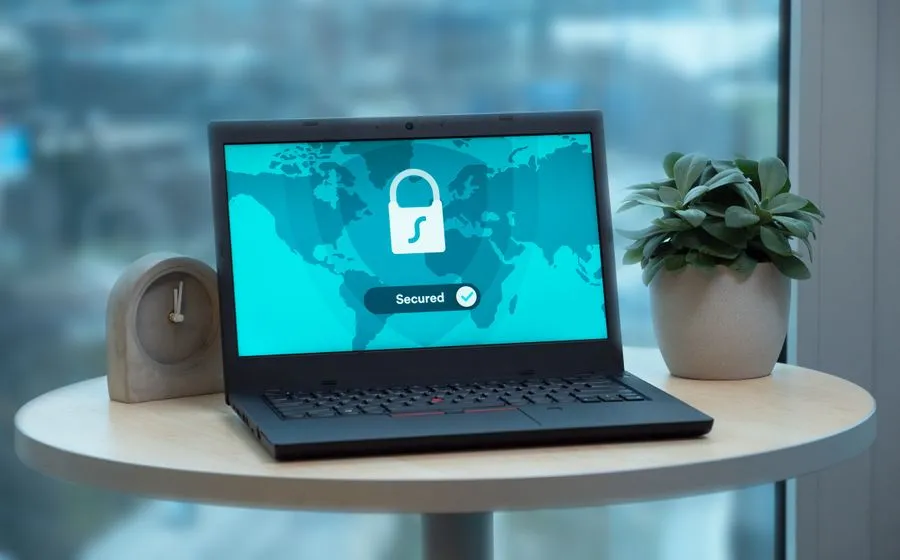
Telecommuting has gone from a perk to an opportunity. I talk to Houston business owners all the time who rave about what working from home has done for their bottom line, and the numbers back them up. From 2005 to 2017, remote work jumped 159%, and today more than 23 million people work from home at least one day a week. Studies show employees actually get more done outside the office: one bank cut a 33% turnover rate to nearly zero and saw productivity climb 18% after letting people work remotely. Even small businesses report saving tens of thousands of dollars a year through lower turnover, reduced operating costs and higher output.
But here’s the catch I always raise: those benefits come with a heightened risk to your network and data. A home office almost never has the same level of security as your office. This post is adapted from Chapter 9 of my book, Protecting Your Business Against Hackers. If you’d like the whole thing, you can download the full book here.
Six Cybersecurity Risks Every Remote Team Faces
Before you can protect a work-from-home setup, you have to know where the gaps are. These are the six I see trip up businesses most often.
- Public WiFi. From coffee shops to libraries to waiting rooms, public WiFi is everywhere, and it’s a gift to attackers. Others share that same network with no firewall between you and them, and because the traffic isn’t encrypted, anyone curious enough can monitor what you’re doing.
- Personal computers and devices. You and your IT team go to great lengths to keep work machines patched, scanned and locked down. Home PCs rarely get that same treatment. The moment a personal device touches your network, even remotely, you’re exposing the whole company, and opening yourself to policy and liability risk on top of it.
- Theft. We worry about hackers and forget that laptops and tablets are simply easy to steal. It takes seconds to break into a car and grab a laptop. Worst case, that thief is actually after the passwords and personal data left sitting on the machine.
- Flash drives. A classic hacker trick is to scatter thumb drives around an office or parking lot. People take the “free” drive home and plug it in. In one study, a researcher dropped 297 USB drives on a college campus, and 98% were picked up and 45% were plugged in. Never use a drive when you don’t know what’s on it or who left it.
- Sending sensitive information by email. Remote employees won’t think twice about emailing financial data, passwords or proprietary information. Any of it can be intercepted in transit unless it’s encrypted.
- People watching over your shoulder. In a public space, the person behind you can read everything you type. Cybercriminals have sharp observational skills, so be aware of your sight lines.
Four Steps to a Secure Work-From-Home Setup
Once you understand the risks, the fixes are very manageable. Here are the four I recommend to every Houston business going remote.
1. Use a Two-Factor VPN
A VPN, or virtual private network, is an encrypted tunnel that runs straight back to your office network. Make sure yours supports two-factor authentication so access takes more than just a password. Connecting through a VPN is more secure than cloud “virtual desktop” tools like GoToMyPC or Zoho; those are better than nothing, but they don’t measure up.
2. Secure the WiFi Access Point
An unsecured access point is a back door, because WiFi signals broadcast well past the house and out into the street. Drive-by hacking is a real thing. Lock it down: use stronger encryption and a more complex password, hide the network name so neighbors can’t see it, and run a firewall.
3. Improve Your Password Strategy
Passwords are often the first line of defense. Push your team to create stronger ones, and steer them away from saving passwords in the web browser: a skilled hacker who clears that single PIN gets everything. Just as important: never reuse a password across accounts. If one site leaks, you don’t want every account compromised. A reputable password manager makes juggling unique passwords painless.
4. Provide Company-Approved Computers
You have almost zero control over what lives on an employee’s home computer. The same machine they use to reach your network might be downloading apps, hosting games and collecting risky email. Issuing company laptops feels like an added expense, but it’s far cheaper than the breach it prevents. (For a fuller look at how these layers fit together, see our cybersecurity services.)
If your team relies on cloud email and collaboration, locking that down matters just as much. Our Microsoft 365 services help close those gaps with encryption, multi-factor authentication and proper access controls.
Get a Free Cybersecurity Risk Assessment
Frequently Asked Questions
Is letting employees work from home actually worth the security risk?
For most businesses, yes: the productivity and cost savings are well documented, with even small companies reporting tens of thousands in annual savings. The risk is real but manageable. The goal isn’t to avoid remote work; it’s to give your remote team the same protections they’d have in the office.
Why is public WiFi so dangerous for remote workers?
On a public network, other people share the connection with no firewall separating you, and the traffic usually isn’t encrypted. That means a nearby observer can monitor what you’re doing or reach the same data you can. A two-factor VPN solves this by wrapping your connection in an encrypted tunnel back to your network.
Should I let employees use their personal computers for work?
I’d avoid it. Home machines rarely get the patching, antivirus and firewall discipline your work devices do, so connecting one to your network, even remotely, puts the whole business at risk. Company-approved laptops give you control over what’s installed and how the device is secured.
What’s the simplest high-impact change I can make today?
Tighten passwords. Have your team stop saving passwords in their browsers, use a unique password for every account, and adopt a password manager. Pair that with a two-factor VPN and you’ve closed two of the biggest remote-work gaps quickly.
Ready to Secure Your Remote Team?
Whether your team is already working from home or you’re weighing the move, these steps go a long way toward protecting your people, their computers and your data. If you’d like a set of expert eyes on where your gaps are, let’s talk. Book a free discovery call or call us in Houston at 281-367-8253. We work with businesses of 10 to 200 employees, and we offer fast response and after-hours support when it counts.