


We have written before about what it takes to replace a SaaS subscription with software AI builds for you. XP is a bigger example of the same idea, and it is one our whole team touches every day.
What is XP, in plain English?
XP, our customer experience app, asks our clients how we did, then lets our team reward each other for doing it well. It has a client side and a team side.
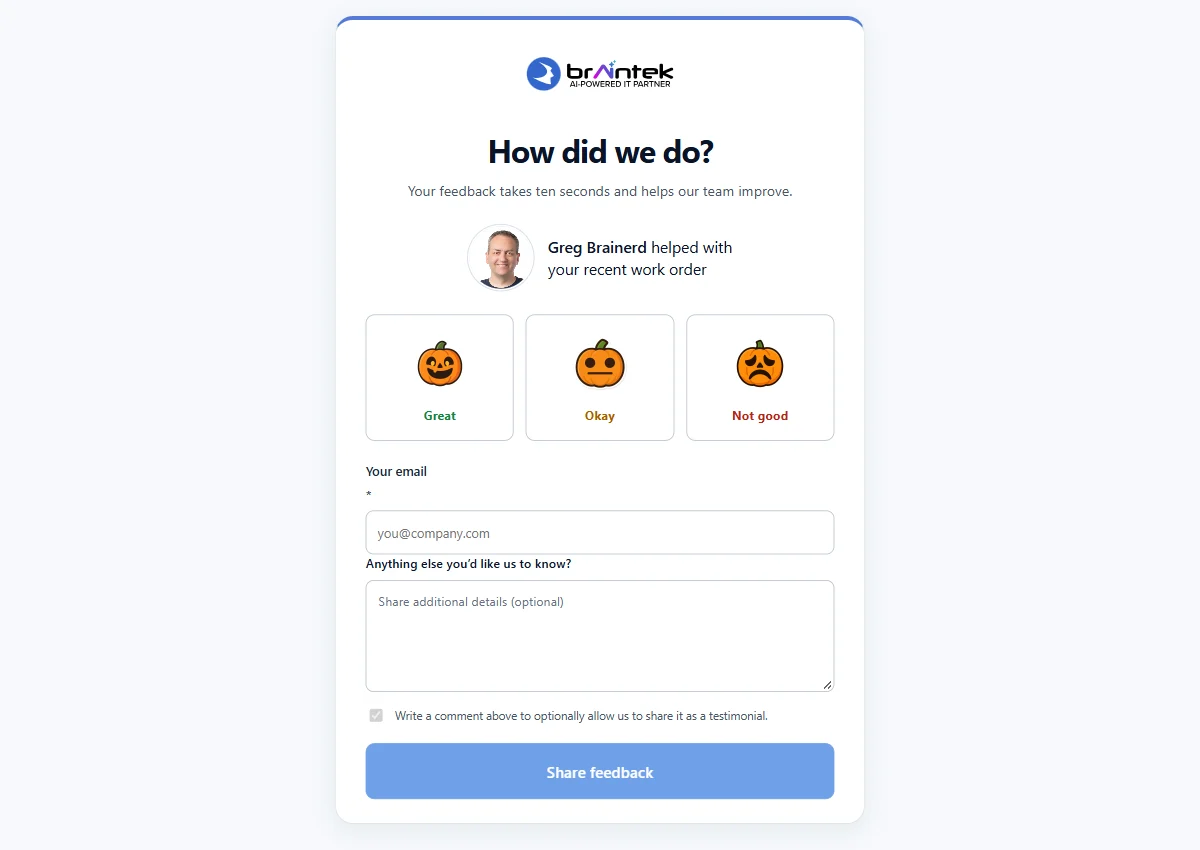
On the client side, the email you receive when a ticket is completed includes three faces. One click records your rating and opens a short page where you can add a comment. The same survey link lives in our technicians’ email signatures. The survey page shows the technician who helped you, and the rating faces change with the season. We built twelve monthly sets that switch automatically, so October looks different from July. After you submit, the thank you page can invite you to leave a public Google review, and it sends you to the listing for the office your technician works from, whether that is Houston or DFW.
On the team side, XP opens to a feed where anyone can give a teammate a badge with points attached, drawn from a monthly giving budget. Points also arrive automatically for positive client surveys, birthdays, and work anniversaries. Team members spend them in a prize store stocked with gift cards and paid time off, and an admin approves and fulfills each request. Managers get a daily digest of reviews and badges, while a rating that signals an unhappy client goes to managers and the assigned technician right away.
Why did we build XP instead of continuing to buy?
Because this tool sits in the middle of the two things we care most about, client happiness and team culture, and we wanted it to work exactly the way we do. That is not a complaint about CrewHu. It is a solid product, and it was our reference for what a finished survey and recognition system should include.
Our reasons were practical. We wanted the survey layer connected to our ticketing on our own terms, not dependent on any one vendor’s integration. We wanted our team to sign in with the Microsoft 365 accounts they already use, from the same internal portal as our other apps. We wanted years of client feedback stored in our own Azure environment, where we can report on it however we like. And we kept running into small preferences that are easy to change in software you own and impossible to change in software you rent.
What does XP do for us that the old setup did not?
It follows our rules instead of a vendor’s defaults. A commercial product may offer some version of these, but the difference is that we decide how each one works.
- Notifications tuned to how we manage. A technician hears about their own positive review immediately. Managers get one daily digest. Bad news reaches the right people at once.
- Review requests routed by office. A client helped by a Dallas technician is pointed to our DFW listing, and a Houston client to ours in Houston. Once a client has clicked through, XP stops asking.
- Seasonal faces everywhere. The faces in the ticket email always match the set currently live on the survey page, with no one remembering to swap images.
- A nudge to recognize people. We noticed giving budgets going unused because people forgot. XP sends a reminder near the end of the month to anyone with budget left.
- Feedback that turns into changes. A button in the header lets anyone report a bug or request a feature. When the team asked to give several badges to several people at once, that change was live the same day.
How was XP built, and how did our history come over?
It was built with AI assisted development on the Microsoft stack we already run for clients, and it went from decision to live in days. A team member had generated a first version with AI. We audited it, hardened it, added single sign on with Microsoft 365, and deployed it to Azure on its own domain about three days later. Hundreds of automated tests run against it before each release.
We did not switch overnight. The team used XP on real data for several weeks while we refined the layout, the notification rules, and the ticket email. Our survey history was migrated first, nearly 2,500 surveys going back to 2022, each tied to the right client and technician wherever the record allowed. Point balances were carried over and verified against the ledger, so nobody lost what they had earned.
If you want the method behind a build like this, we describe it in how we build apps with AI.
When does a custom build like this make sense for your company?
It makes sense when a tool touches your daily workflow, the standard product almost fits, and someone will own the result. XP checked all three boxes for us. It connects to systems we already run, the rules we wanted were specific to how we operate, and maintaining software is what we do for a living.
If that sounds familiar, the cost of custom software development has dropped far enough that it deserves a real look. Projects that once took a development team months can now reach a working version quickly with AI assisted development, as long as someone experienced reviews what gets built.
When should you keep the subscription?
Keep it when the product already fits, when you need the vendor’s compliance certifications, or when nobody will care for the software after launch. Migration is real work too. History has to move, people have to change habits, and the old and new systems overlap for a while.
If you are not sure which side of that line you are on, book a discovery call and tell us what you are paying for today. We will tell you plainly whether we would build it or keep paying for it.