

Some of the projects we have written about took a weekend, like the time we replaced a SaaS subscription with software AI built for us. ScaleForms is a different animal. It is line of business software that a real company has run on every working day for more than a decade.
What is ScaleForms?
ScaleForms is a software suite for scale service companies, the businesses that install, test, and calibrate commercial scales. It has four parts that share one set of data.
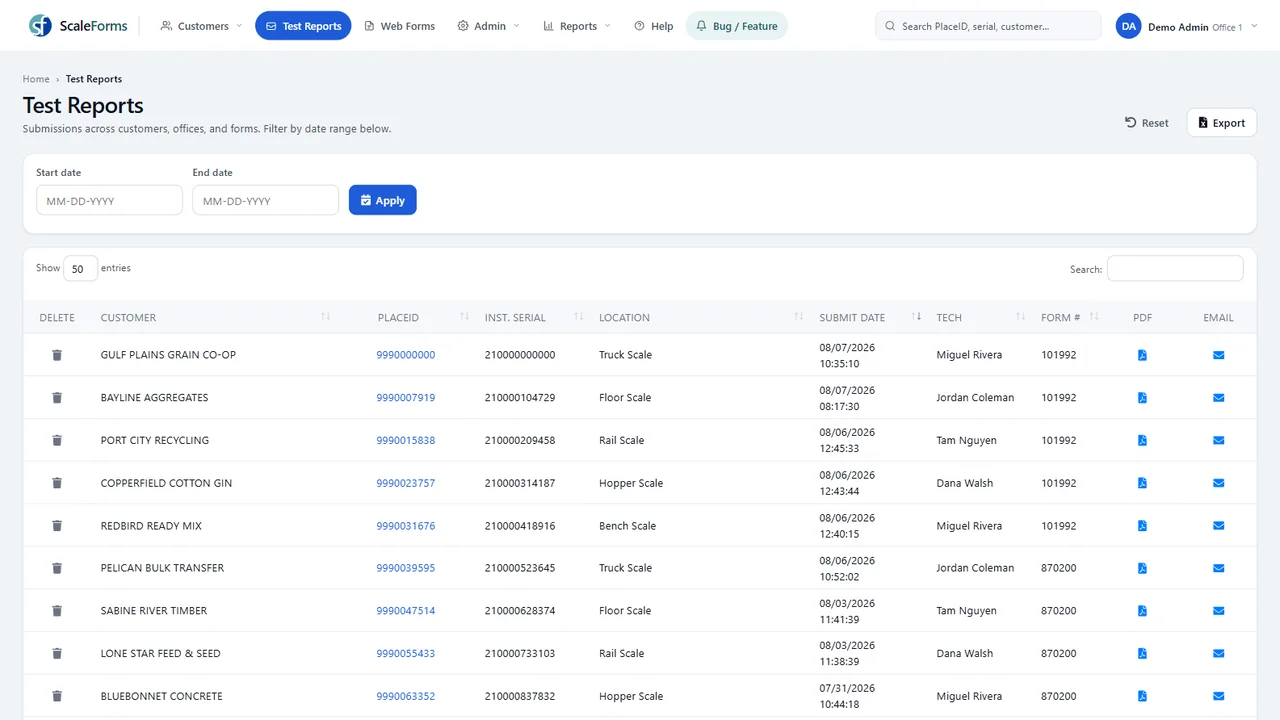
In the office web app, staff manage customers, equipment, test reports, users, offices, and email templates.
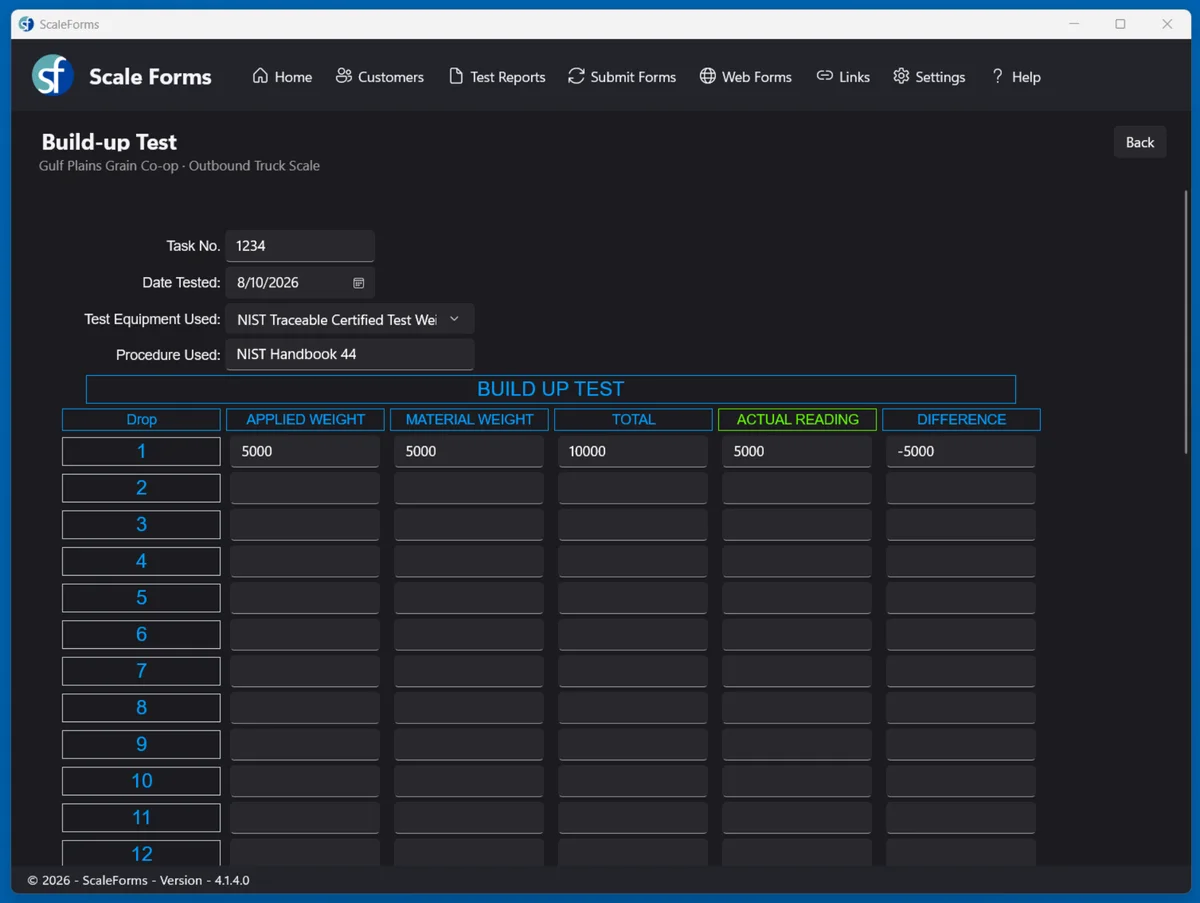
The field app is what technicians use at the scale. They pick the customer and the unit, fill out the test report on a tablet or laptop, capture the customer’s signature, and submit. It works fully offline and syncs when a connection appears.
ScalePix is a small Android app. A technician takes equipment photos on a phone and they attach to the right unit automatically.
The customer portal gives the scale company’s own customers a login. They see their equipment list, past test reports and certificates as PDFs, equipment photos, and an accumulated error report that shows drift over time. Access is approval based, and each customer sees only their own data.
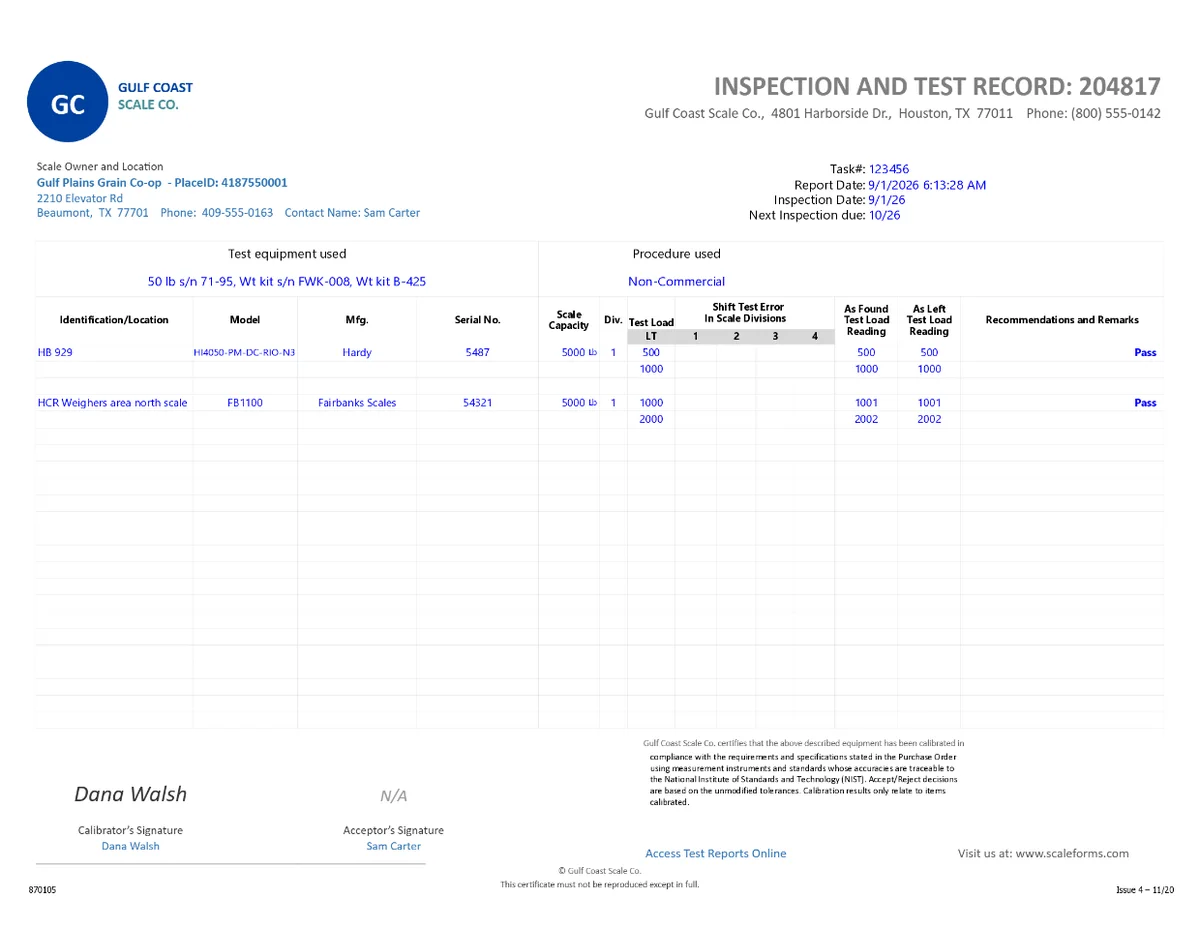
When a technician submits a report, it renders to a PDF with the captured signature and emails itself to the customer, the office, and the state contacts the company has configured.
Why did scale service companies need their own software?
Because the product a scale technician delivers is a regulated document, and generic tools treat documents as attachments. A scale used in commerce has to be tested against the tolerances in NIST Handbook 44. The allowed error depends on the class of the scale, its division size, the load applied, and whether the test is for acceptance or maintenance. Many states also have their own placed in service and test report forms.
The alternative was paper and Excel templates emailed around the office. A generic field service app does not fix that. It can schedule the visit and bill for it, but the technician still needs something that knows what a shift test is and whether a reading passed.
Then there is the job site. Scales sit at grain elevators and other places with no signal at all, and software that needs a connection to open a form is not usable there.
What does ScaleForms do that a generic field service app does not?
It does the tolerance math, carries the state paperwork, and lets the company change its own forms.
Tolerance math as the technician types. The form knows the equipment. Pick the unit and the class, capacity, and division size come with it. Acceptance and maintenance tolerances for Class I through IIIL are computed as each reading is entered, with pass or fail shown on the spot. We cover the Handbook 44 calculator itself in a companion article.
State forms ready to go. The library includes placed in service and test report forms for 30 states, plus USDA Packers and Stockyards reports.
A form builder in the browser. Office staff can design a new report type with its own fields, rules, and equations. Forms are defined on the server, so every device picks up the new version on its next sync with no app update.
How was ScaleForms built and modernized?
It was built inside a working scale company and then rebuilt one piece at a time without a shutdown. Every screen exists because a dispatcher, technician, or office manager needed it.
The original office app was written on ASP.NET Web Forms, a framework that has no path to current versions of .NET. That made 2026 a rebuild and not an upgrade, and we took it in a deliberate order.
First came parity. The new office app, built on ASP.NET Core Razor Pages, had to match the old one page for page against the same database before anyone redesigned anything. The modern look, sortable tables, and light and dark themes came after the foundation was stable.
Second, the service the field app talks to moved to .NET 10 with the same contract as the old one, so older and newer versions of the field app could keep working during the rollout.
Third, the field app was rebuilt on WinUI 3 and .NET 10. It went to a small pilot group of technicians first. On upgrade it carried each technician’s settings and queued reports forward, so nobody lost work in the switch.
We also made a call not to rebuild everything. The report rendering that turns a submitted form into a PDF stayed, because redoing every form layout would have added months of work. Knowing what to leave alone is part of custom software development.
We leaned on AI assisted development throughout the rebuild, with a person testing each change against the legacy behavior before it shipped. The rebuild of the customer portal is in testing now. Each company that runs ScaleForms gets its own subdomain and its own dedicated database, hosted on Azure.
What does this show about building software for a niche industry?
It shows that the hard part is the domain, not the code. Anyone can build a form. The value in ScaleForms is that the form understands tolerance tables, state requirements, multi scale reports, and what happens when a technician has no signal. We learned that by working alongside the people doing the job.
It also shows that custom software is a long relationship. Twelve years in, the same system is still in daily use on a current platform. That only happens when someone stays accountable for it.
When does a custom build make sense for your company?
When your core work product is something no general product understands. If your team keeps a spreadsheet beside the official system because the official system cannot do the real calculation, that is the signal. So is a regulated form, a field crew without reliable coverage, or an aging custom app that nobody wants to touch.
It does not make sense when a standard product already fits. We will tell you that too.
AI has also changed the cost side, which we cover in how to build apps with AI. Whether you are in Houston, DFW, or anywhere else, the first step is the same. Book a discovery call and show us the form, the spreadsheet, or the old system you are living with.